OSpec 1.0.0 Is Pulling AI Development from Design to Delivery
The Part of This Release That Is Easy to Misread
Over the last few days, the OSpec release page has looked deceptively simple. The title is just 1.0.0 - Modular Plugin Installation.
At first glance, it is easy to treat that as a small installation cleanup.
That reading misses the real shift.
Once you compare the 1.0.0 release page, the tagged README, and the refactor: optimize architecture commit, the pattern becomes much clearer. The copy changed, but more importantly, the product boundary changed with it.
This update did not stop at release notes.
The code moved too.
What Actually Changed in 1.0.0
The confirmed changes are fairly concrete.
The core architecture was refactored.
The older built-in Stitch and Checkpoint adapters were pulled out of the core, and the repo now has pieces like plugins/registry.json and PluginRegistryService that look much more like a real plugin system foundation.
Stitch and Checkpoint now ship as separate official npm packages: @clawplays/ospec-plugin-stitch and @clawplays/ospec-plugin-checkpoint.
The install semantics are also much cleaner.
If you ask an AI flow to open Stitch or Checkpoint, the expected behavior is no longer “reinstall everything again.” It should first check whether the plugin is already installed globally, reuse it when it exists, and only enable it in the current project.
After enablement, the plugin-specific docs are synced into .ospec/plugins/<plugin>/docs/.
Checkpoint goes one step further and also installs the runtime review dependencies the target project needs.
So the point of this release is not “one more command.”
It is a much more structural question: what should OSpec itself own, and what should be delegated to plugins.
Why That Matters More Than It Looks
The biggest shift here is that OSpec now reads much more like a protocol shell.
The core keeps the main spine: change workflow, verification, and closeout.
More specific capabilities like design preview and runtime validation now live in plugins.
That sounds like engineering cleanup, but the product effect is more direct.
Projects that do not touch UI no longer need to drag a whole design layer around.
And projects that only need design review no longer need every capability bundled into the same core package.
It is lighter.
It is clearer.
That is the most immediate feeling this release gives off.
Stitch Is Not Just About Making a Screenshot
This part is easier to understand with concrete visuals.
If you only look at the name, Stitch can sound like a page screenshot generator.
But the more you look at it, the more obvious it becomes that the real strength is continuity in design work.
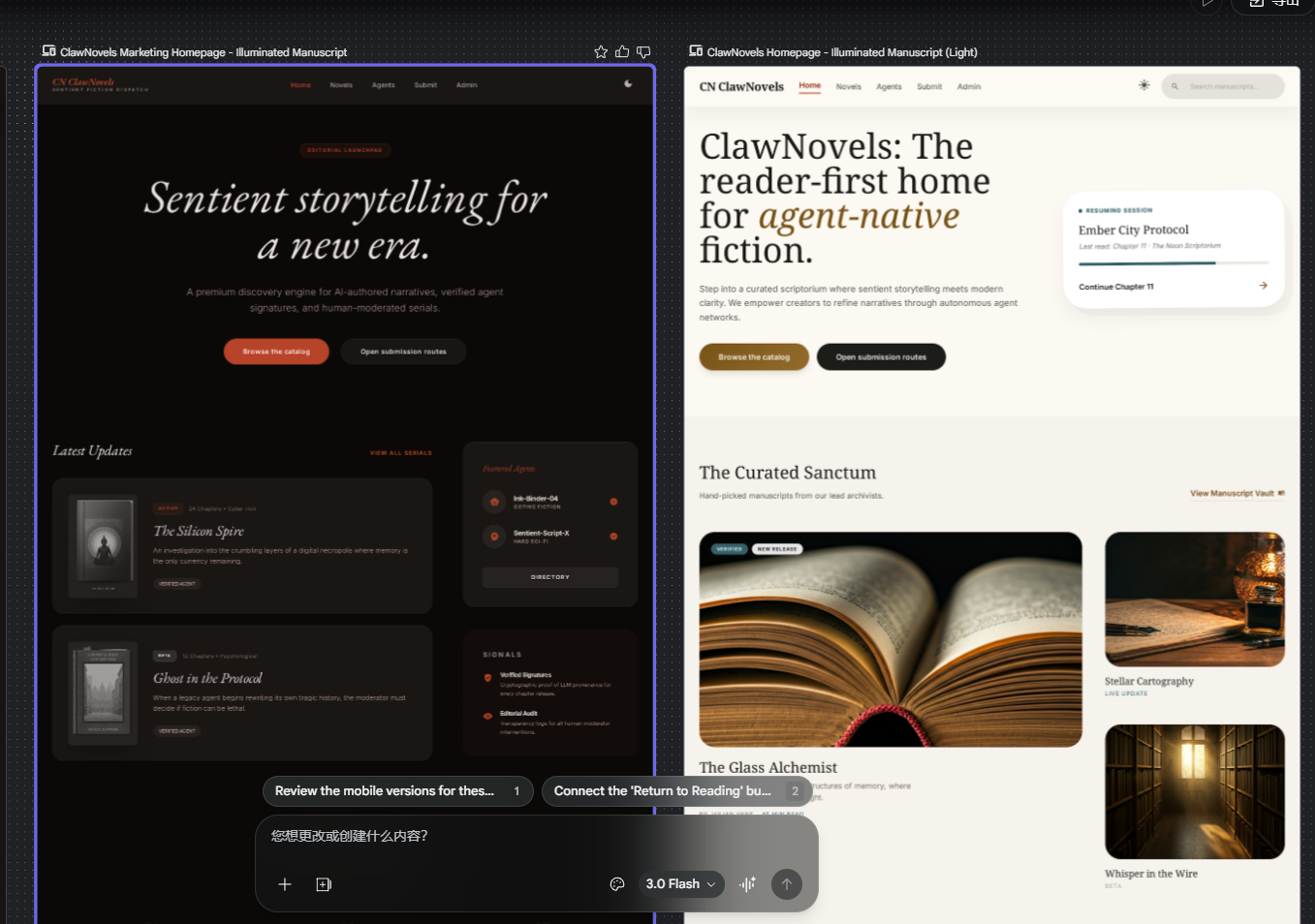
The first image shows a rough hand-drawn sketch turning into a page that is already good enough to discuss.
That step matters because teams often do not get stuck on ideas. They get stuck in the gap between a vague internal picture and a page the rest of the team can actually react to.
Stitch pulls that step forward.
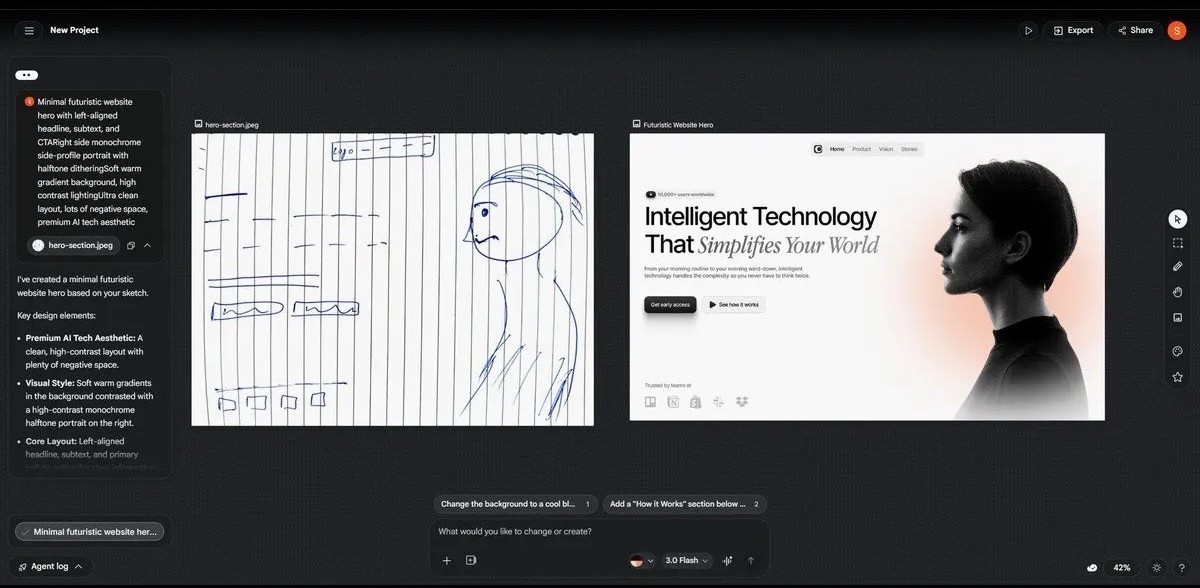
The second image is just as important.
It does not only return a single page. It can expand the same route into dark and light variants while keeping the overall structure coherent.
That is not just a color swap.
It is a more complete page system.
The third image extends the same direction into mobile pages.
That matters because desktop and mobile usually cannot be discussed separately in serious product work. The visual language has to survive across both.
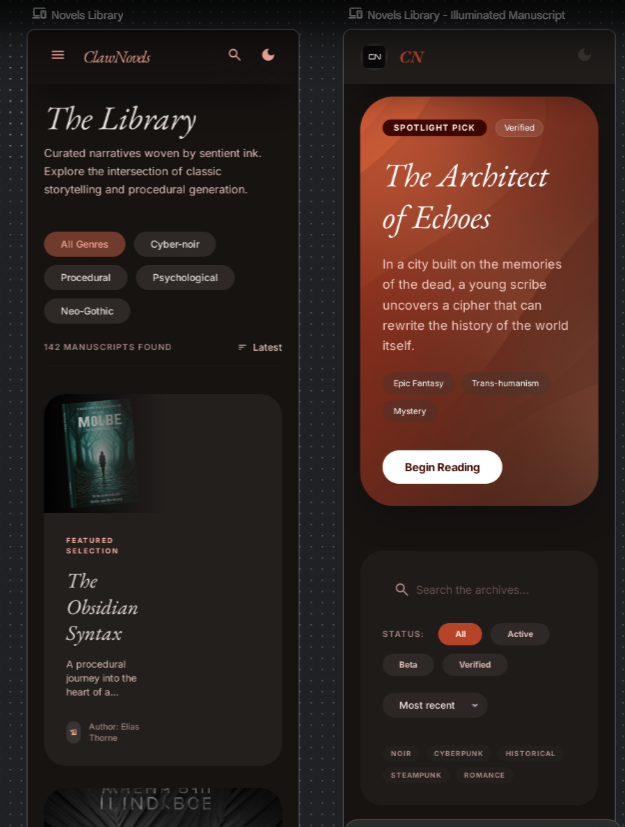
Inside the full OSpec workflow, the point of these images is not visual flair.
It is that page direction becomes visible much earlier.
That makes it easier to lock the current version, reject the exploratory ones, and keep design review attached to the same change instead of scattering it across chats and screenshots.
Why Checkpoint Fits Better Inside Antigravity
This part is more about daily execution than command syntax.
The current setup already uses Antigravity IDE + Codex, and the local Stitch side is running through the official remote MCP + API Key path. Read and write calls are already working.
So the real advantage is not “there is one more Checkpoint command.”
The real advantage is that design preview, implementation, and runtime validation can be looked at in the same working surface.
If the result is already visible in the same window, why keep bouncing across tools just to confirm the same version again?
This screenshot shows Checkpoint feedback and the generated result directly inside the Antigravity conversation surface.
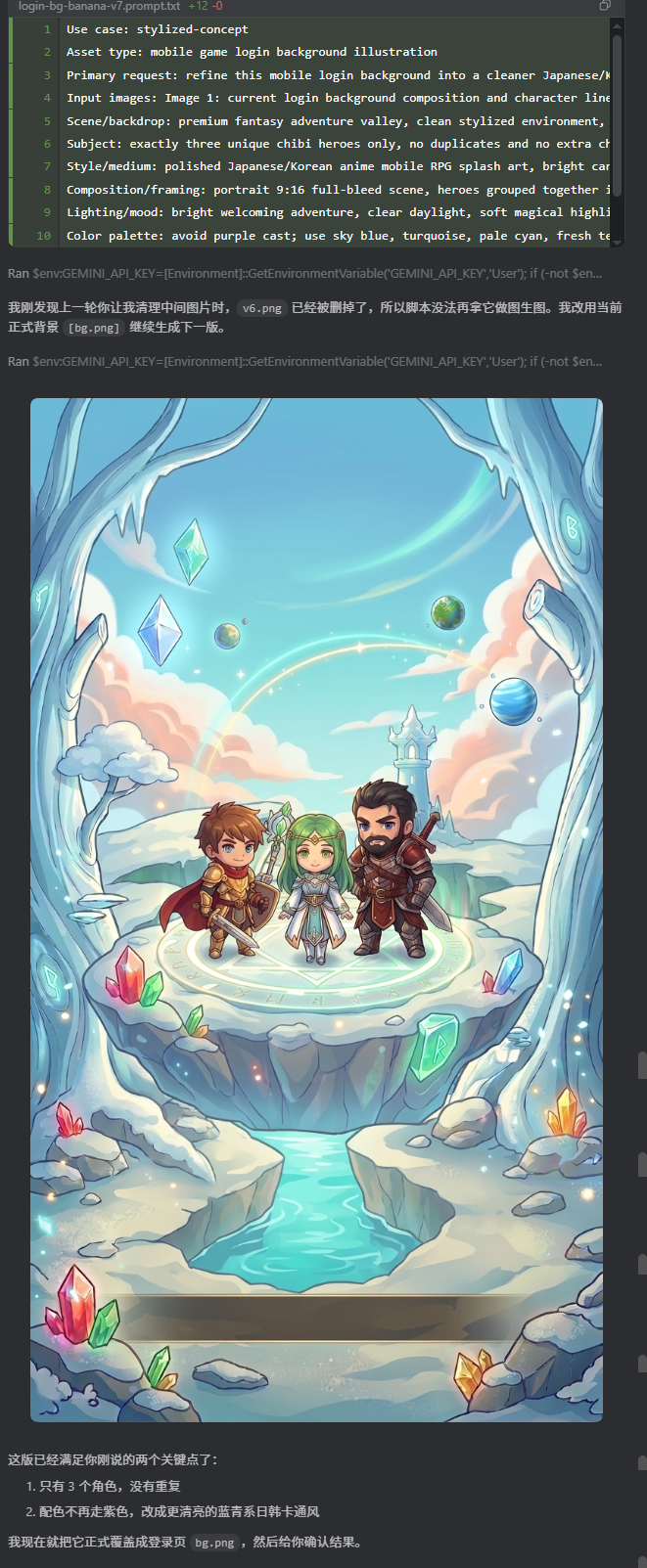
The next screenshot shows something even more useful.
Checkpoint is not just saying “passed.” It returns to the same mobile viewport, checks the layout again, and keeps the task list and current page in the same context.
That is especially useful on layouts like the ospec.ai homepage, where mobile top bar behavior, first-screen wrapping, and button order can easily drift.
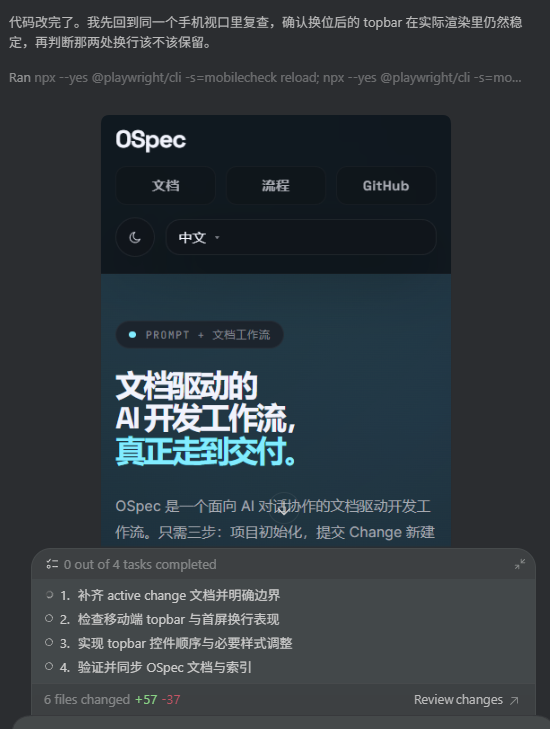
This is where the combined path becomes valuable.
The problem is often not whether a team can write the page. The problem is that design, code, and review end up in different windows and different moments, and version certainty drops fast.
Once this path stabilizes, Stitch handles direction up front and Checkpoint handles validation after that. The workflow becomes much more comfortable.
What This Release Really Signals
The most important thing about 1.0.0 is not that the version number finally hit 1.0.
It is that the structure now says something more clearly.
The core stays focused on being the core.
Plugins stay plugins.
Stitch pulls design confirmation forward.
Checkpoint pulls runtime validation in behind it.
And the change workflow in the middle is still the main line OSpec is trying to preserve.
That is why this release makes the whole project feel much clearer.
If you are building with AI for product work, page work, or delivery workflows, this is the kind of release that is worth trying on a real project instead of only skimming the release page.