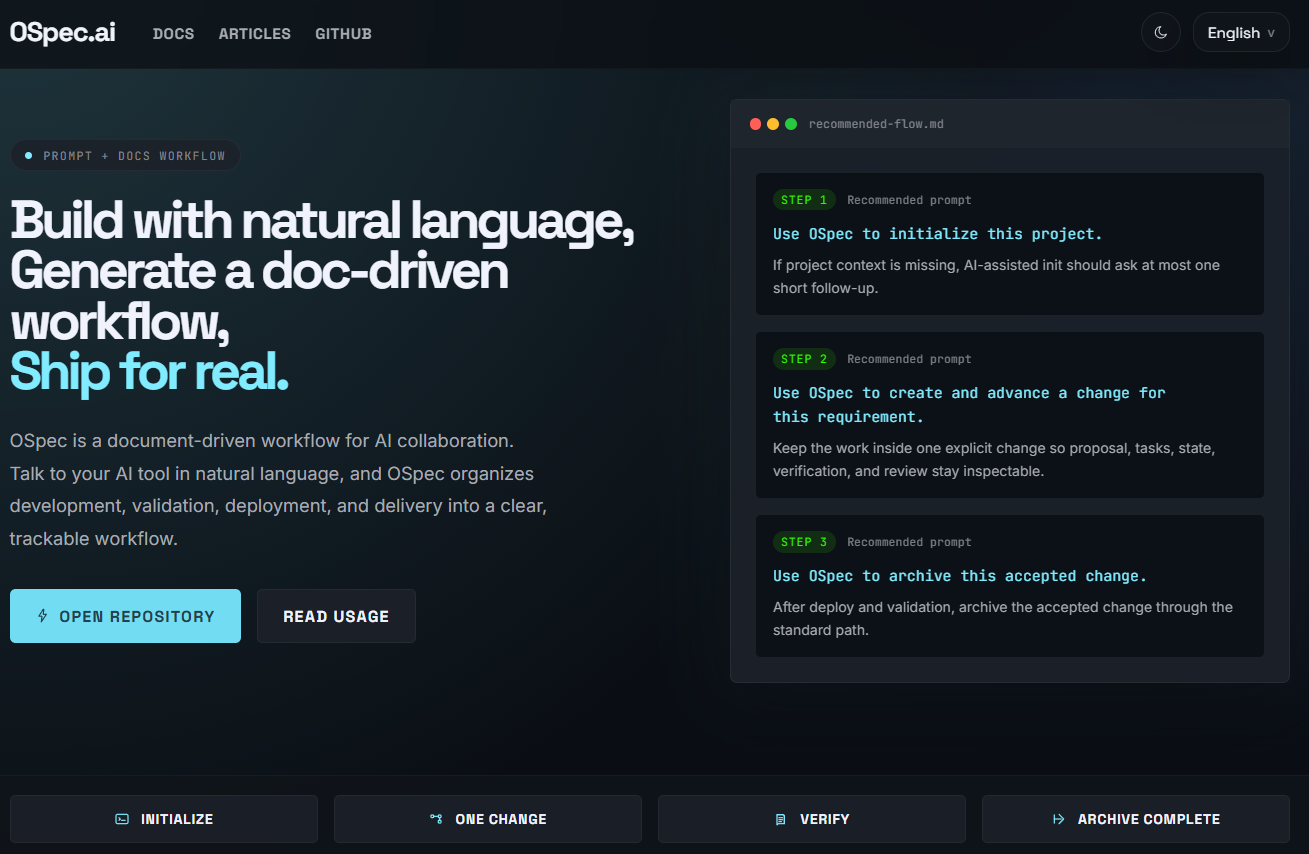
How OSpec Automates OSpec.ai Website Development
When people first see OSpec, they often think it is just a layer of documentation added on top of AI collaboration.
But in a real project, what it actually automates is not only code generation. It helps move the entire delivery flow forward.
How does a website requirement begin? How do you keep the scope under control? How does development move forward? How is verification recorded? When is it ready to release? And how does it finally get archived? If all of that only lives in chat history, teams quickly lose context.
This article does not try to explain OSpec in abstract terms. Instead, I will use the ospec-web project, the repository behind OSpec.ai, to show how OSpec turns one request into a complete change and moves it all the way to release and archive.
First, the main point: OSpec does not just automate code writing
If you only look at the surface, OSpec may seem like a few extra files and commands.
But in the ospec-web project, what it really does is this:
- It helps AI understand the project first
- It turns one request into one change
- It writes scope, tasks, state, and verification into the repository
- It keeps those files updated while development continues
- It moves to release only after verification
- It archives the change at the end
So what OSpec automates is not just “build the page.” It automates the path that turns a website requirement into something that can be released, reviewed later, and handed off clearly.
Start with one sentence, then move into a change
In ospec-web, the starting point for a requirement is often very simple.
It may be something like:
- build the homepage
- improve the article system
- add a hidden admin route
- add Chinese article routes
- refine a section of the site
- add SEO / GEO fields
When you hand a request like that to OSpec, it does not immediately start changing code without boundaries. It first puts that work into a dedicated change.
That change becomes the main container for the work.
Everything that follows, from proposal and tasks to verification and archive, happens around that change.
A simple way to think about it is this: once the request enters a change, it is no longer just something said in chat. It becomes a tracked delivery unit inside the repository.
In ospec-web, AI reads the project before it starts
In this project, AI usually does not begin by guessing. It starts by reading the project knowledge layer.
The most important files are:
docs/project/overview.mddocs/project/tech-stack.mddocs/project/architecture.mddocs/project/module-map.md
These files tell AI:
- what the project is
- which technologies and deployment path it uses
- how the project is structured
- where the pages, modules, admin tools, database migrations, and scripts live
This step matters a lot in ospec-web because the repository is no longer just a static site. It already includes:
- Next.js App Router
- OpenNext for Cloudflare
- Cloudflare Workers runtime
- public website pages
- an article system
- a hidden admin panel
- D1 / R2-related capabilities
If AI does not understand those facts first, it is very easy for the requirement to drift in the wrong direction.
So in OSpec, the first real layer of automation is not writing code. It is aligning project context.
What are the most important files inside a change?
In ospec-web, an active change usually includes a few core files.
The most common ones are:
proposal.mdtasks.mdstate.jsonverification.md
In many cases, it also includes:
review.md
Taken together, these files cover almost the full lifecycle of a requirement, from start to archive.
proposal.md: define the boundaries first
In ospec-web, proposal.md works like the formal explanation of what this requirement is actually trying to do.
It usually makes these things clear:
- what the background is
- what the goals are
- which modules will be affected
- what is included
- what is out of scope
- how success will be checked
This matters because website work is one of the easiest places for scope to expand without control.
For example:
- changing the homepage can accidentally pull in the article system
- updating the admin panel can turn into plugin work
- changing routing can expand into SEO, styling, navigation, and deployment changes
Without clear boundaries, AI can easily keep widening the work.
With proposal.md, AI writes down the scope first and then continues. That is why the file matters. It is not just extra writing. It protects the change from losing shape.
tasks.md: break the work into steps that can actually be done
If proposal.md answers “what are we doing,” then tasks.md answers “how do we move through it?”
In ospec-web, a change is rarely limited to one file. It often touches:
- pages
- content systems
- admin logic
- APIs
- routes
- sitemap
- SEO
- build steps
- deployment
So AI breaks the work into actionable tasks, such as:
- confirm the current implementation
- define the affected scope
- update the page or admin logic
- update metadata, routing, or sitemap
- run build and smoke checks
- close the change cleanly
This helps because the team can see more than just “this request is still in progress.” It becomes easy to understand:
- what has already been done
- what is still left
- which checks are complete
- which closeout steps still need attention
At this stage, AI turns a vague goal into an executable checklist.
state.json: make the flow readable for systems as well as people
state.json is one of the easiest files to overlook, but it matters a lot for workflow stability.
In ospec-web, it acts like the change status board.
It usually records things like:
- whether the change is active
- which stage it is currently in
- which milestones are complete
- which files are affected
- whether the change has been archived
A simple way to think about it is this:
proposal.md and tasks.md are mainly for people, while state.json is what helps tools and AI understand exactly where the change stands.
At this stage, AI mainly does three things:
- update status as execution moves forward
- mark whether proposal, tasks, and verification have been completed
- leave a reliable handoff point for later steps like verify, finalize, and archive
So even if you do not read it constantly, state.json helps the whole workflow stay coherent.
verification.md: turn “it is done” into “we verified that it is done”
In ospec-web, the most important file near release is often verification.md.
That is because the work does not end when the code changes are finished. It usually also includes real checks such as:
npm run build- Cloudflare-related builds
- route checks
- page access checks
- sitemap checks
- hidden admin or API checks
- smoke checks when needed
The role of verification.md is to record those actions clearly.
That means when someone looks back later, they do not only see that the code changed. They can also see:
- what was verified after the implementation
- which results passed
- what was skipped
- why this change was considered ready to release or archive
In the OSpec flow, this is a big deal. It turns “I think this is probably ready” into “this was actually checked.”
review.md: help the change become more reliable, not just complete
In ospec-web, when a change is larger, riskier, or crosses modules, AI often also leaves a review.md.
This file is not just a recap. It is more like a review perspective on the work:
- what problems were found
- what risks still exist
- what validation may still be missing
- which implementation details deserve attention
Its value is simple:
there is a difference between “the work is finished” and “the result is reliable.”
For a public website, that difference matters. Once something ships, users only see the result. They do not care whether the team rushed at the end.
That is why review helps AI and the team surface risks earlier, before they become production problems.
In ospec-web, how does the code actually get built?
Once proposal and tasks are clear, AI moves into the actual implementation work.
In this project, the most common edit areas are:
src/app/pages and route handlingsrc/modules/site/website structure, SEO, localization, and the public page shellsrc/modules/content/article system, admin tools, slug logic, markdown, and media uploadsrc/styles/global.csspage and article stylingdb/migrations/D1 migrationsdocs/API, planning, design, and project knowledge docs
This is exactly why OSpec fits a project like ospec-web well.
Real projects almost never mean changing just one file. They usually require pages, admin logic, data shape, SEO, and deployment steps to stay aligned.
So AI is not just “changing code.” It is moving through the modules that the change has already defined as part of scope.
In ospec-web, development is not the end, verification still has to happen
In this project, a change is not really close to done until it passes through checks like these:
- local implementation is complete
npm run buildpasses- Cloudflare build checks run when needed
- pages, routes, admin flows, or APIs are smoke-checked
- results are written into
verification.md
If the requirement also includes significant UI changes, it may go further through:
- Stitch design review
- Checkpoint or browser-based flow checks
In other words, OSpec does not stop at “the code is done.”
It keeps helping push the work toward “this change was actually verified.”
That is one of the biggest differences between workflow automation and normal chat-based coding.
In ospec-web, how does release happen?
The current deployment direction of ospec-web is:
- Next.js App Router
- OpenNext
- Cloudflare Workers
The project docs already define how branches map to environments:
maingoes to productiondevgoes to staging
So a full release path for one change usually looks like this:
- finish local development
- pass build and required checks
- write verification results into
verification.md - push code to the correct branch
- let GitHub trigger the Cloudflare Workers build and deployment
- run smoke checks after release when needed
This matters because it shows that “release” is not something separate from the change.
In OSpec, release is part of how the change closes out.
Why archive still matters after release
A common question is: if the work is already live, why archive it?
Because release only means the code reached production. Archive means the change record itself has also been closed out properly.
In ospec-web, once a change is archived, someone can still look back and understand:
- why the work happened
- how the scope was defined
- how the tasks were broken down
- how the state changed over time
- how the result was verified
- how it reached release
That is one of the biggest differences between OSpec and a workflow that disappears into AI chat.
It keeps the delivery as repository history that can be revisited, handed off, and understood later.
Put more simply, what is the workflow really doing?
In ospec-web, OSpec automation looks a lot like this:
- let AI understand the project first
- turn one request into one clear change
- use
proposal.mdto hold the boundary - use
tasks.mdto move execution - use
state.jsonto track status - use
verification.mdto record proof - use
review.mdwhen review depth is needed - verify locally, then release
- archive the whole change at the end
So AI is not just “helping build the website.” It is helping move the website requirement all the way to a deliverable state.
Conclusion
If you only look at the commands, OSpec may feel lightweight.
But inside the real OSpec.ai website project ospec-web, what it truly automates is the delivery flow itself.
From one request, to clear boundaries, to task breakdown, to implementation, to verification, to release, and finally to archive, the whole path stays inside one change.
That is why, in ospec-web, OSpec is not just extra record-keeping. It is part of how the website is actually built.
It helps both people and AI answer the same questions more clearly:
- what are we doing
- where are we now
- what has been verified
- how did this reach release
- how can we look back on it later